
How to Integrate your app with an Equity Bank Account via API
Adoption and use cases
Equity Bank is one of the leading banks in Kenya and East/Central Africa region by valuation and customer base as well. As at June 2025, the bank’s valuation stood at KES 207B market cap with over 21.3 Million customers spread across Kenya, Uganda, South Sudan, Rwanda, Tanzania, DRC, and Ethiopia.
With the rising technology adoption in Africa to automate business workflows, there’s a huge need to enable merchants and service providers integrate their bank accounts with inhouse apps and softwares like:
1) Sales e.g POS.
2)Accounting, payment reconciliation and compliance tools.
3) Invoicing & billing automation.
4)E-commerce and online shopping checkout among other use cases.
Onboarding and API Access
Note: You need to have an active account with Equity Bank Kenya as prerequisite.
Tuma Payment Gateway enables you to connect your app with personal or business equity bank account as well as merchant till numbers in minutes. Simply follow these steps.
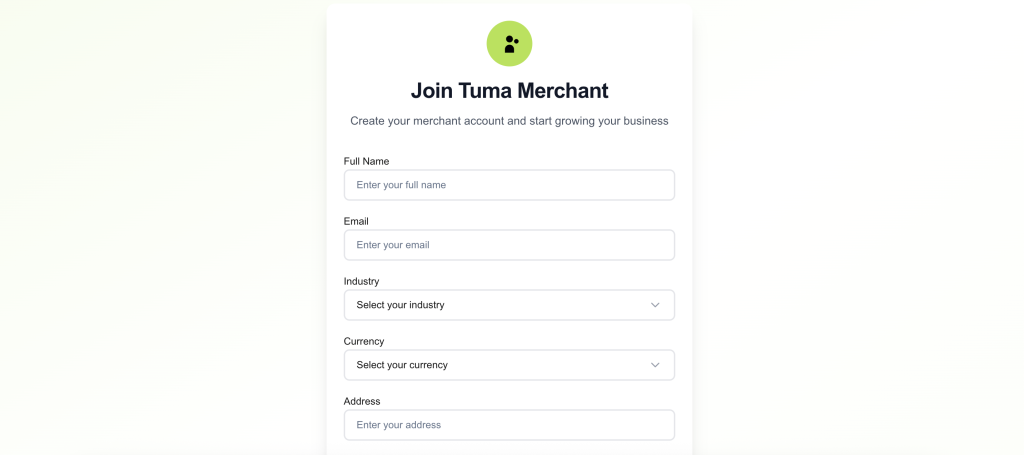
1) Sign up here: https://merchant.tuma.co.ke
2) Fill all fields. NB: Enter full name as it appears in your National ID
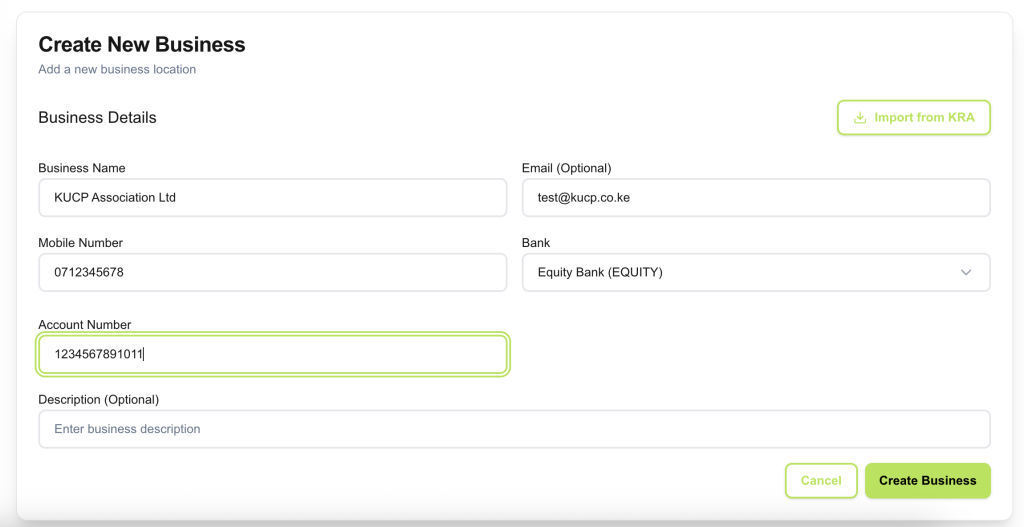
3) Create your business name and configure bank details. Select Equity Bank and enter your account number, then click ‘create business‘.
NB: For API access, you must provide an email address for the business profile. It can still be your personal email address but it’s required for API access. The email field is only optional for portal use cases.
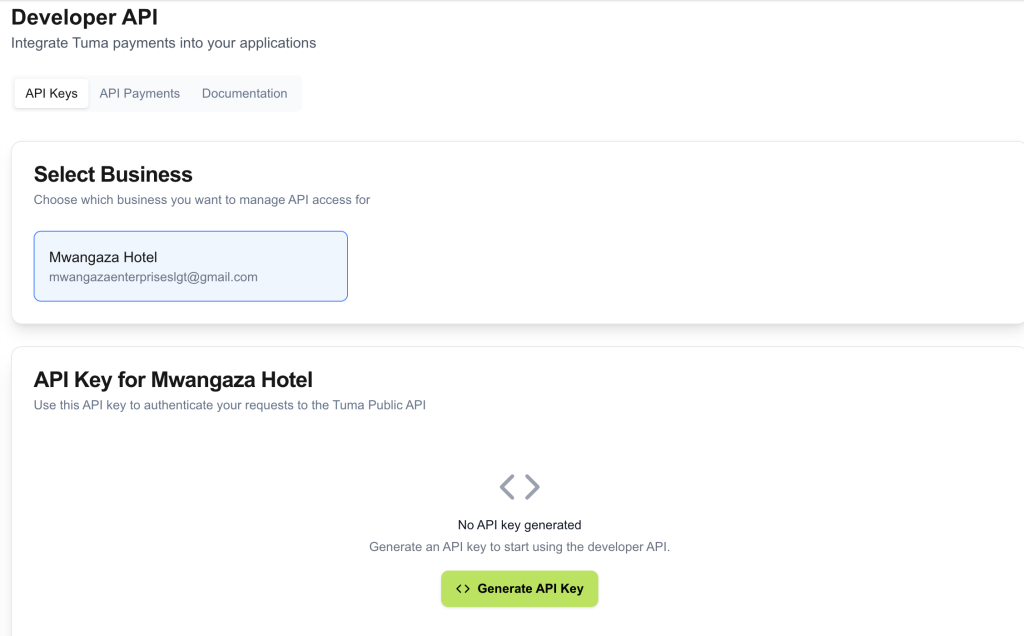
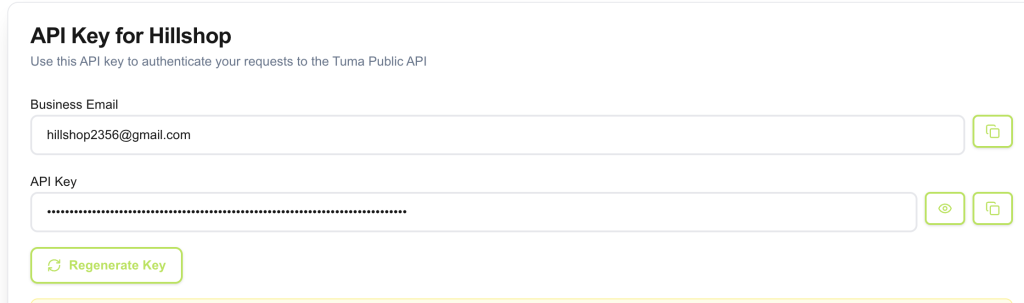
4) Go to Developer option, select business profile, then click generate API keys.
Aunthentication and Code samples
Extract API key and use it along with business email address to authenticate and generate access token.
Authentication
Endpoint : https://api.tuma.co.ke/auth/token
Method: POST
Content-Type: application/json
Payload
{
  "email": "[email protected]",
  "api_key": "tuma_ec7d6eab48c4432ab0f144c7b7fc1b4819_1759998878"
}
Response
{
  "success": true,
  "message": "Authentication successful",
  "data": {
    "token": "eyJhbGciOiJIUzI1NiIsInRCJ9.eyJzaG9wX2lkIjoiNzg3ZTI0NGQtOTRhOC00ODgxLWJjNzctNDc2ZGZkNjA3ZGJlIiwidXNlcl9pZCI6ImQyYTY5NWVkLTg1MWUtNGZiYy1iOTUiIsImVtYWlsIjoic2hhZHJhY2subWF0YXRhQGljbG91ZC5jb20iLCJpcHJzX2FjY2VzcyI6ZCI6MTc2MzU0MjY2NywiZXhwIjoxNzYzNjI5MDY3fQ.3FHTZ9ENc_C-C8-AvQEXroIeNYD5Ncv5eEhB4WpEKaY",
    "shop": {
      "id": "787e244d-94a8-4881-bc77-476dfd607dbe",
      "name": "Tuma Limited",
      "email": "[email protected]"
    }
  }
}
Initiating Payment Request
With the access token you can now initiate payment request via STK push prompt for any mobile payment network.
POST https://api.tuma.co.ke/payment/stk-push
Authorization: Bearer your-jwt-token
Content-Type: application/json

{
  "amount": 100.00,
  "phone": "254712345678",
  "callback_url": "https://your-app.com/callback",
  "description": "Payment for order #123"
}

Response:
{
    "success": true,
    "message": "Payment request sent successfully. Complete payment on your phone.",
    "data": {
        "merchant_request_id": "2dfd-472d-9bbd-df490884098d625543",
        "checkout_request_id": "ws_CO_04032026165157497729598795",
        "customer_message": "Success. Request accepted for processing"
    }
}
Callback handling
Your callback URL provided in STK PUSH request will receive payment status updates as shown below.
POST https://your-app.com/callback
Content-Type: application/json

//Response model for success, result_code=0, else it's a fail

{
  "status": "completed",
  "merchant_request_id": "a5ea-442f-a424-f94158490a468325",
  "checkout_request_id": "ws_CO_23022026142735114729500095",
  "result_code": 0,
  "result_desc": "The service request is processed successfully.",
  "timestamp": "2026-02-23 14:27:46",
  "mpesa_receipt_number": "UBNGT7QNYB",
  "amount": 10
}

//fail response model e.g
{
  "status": "failed",
  "merchant_request_id": "0e96-4a74-ab9d-ae3b6a9c0e933677",
  "checkout_request_id": "ws_CO_28022026175239080729590095",
  "result_code": 2001,
  "result_desc": "The initiator information is invalid.",
  "timestamp": "2026-02-28 17:52:51",
  "failure_reason": "Invalid M-Pesa PIN entered"
}
Error handling
In the event that payment has not been completed, all API responses follow a consistent format.
// Success Response
{
  "success": true,
  "data": { ... }
}

// Error Response
{
  "success": false,
  "message": "Error description"
}
Fund settlement
Once a customer authorizes payment prompt, Tuma credits the funds directly to your Equity Bank account in real-time.
