Multi-Bank and M-PESA Payment Gateway Solution for SaaS Platforms
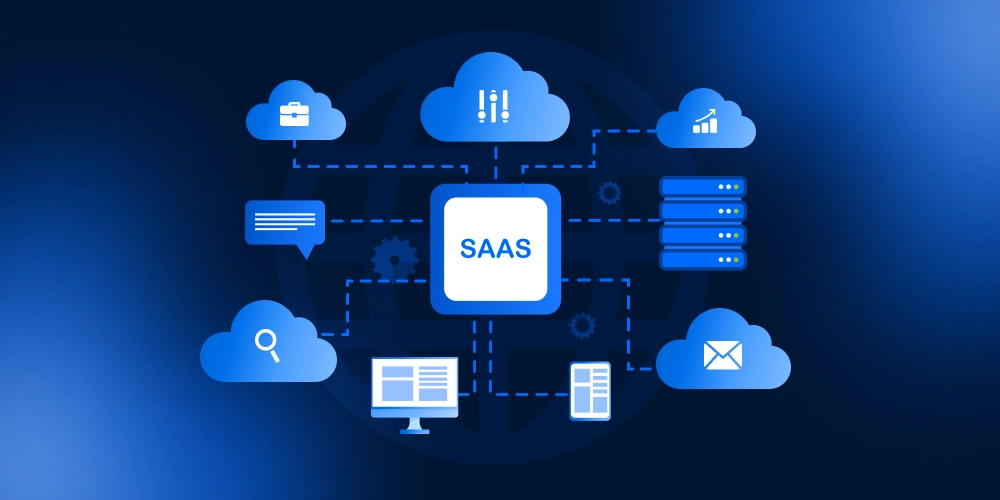
Tuma Payment Gateway plugs into the vast mobile and core banking ecosystem in Kenya to automate billing workflows and payment reconciliations for SaaS platforms. Tuma links every sale with its corresponding payment transaction.
At Tuma, we have built a minimal but robust infrastructure to automate billing workflows for SaaS platforms. This enables SaaS apps to collect payments for themselves as well as integrating their tenants’ MPESA and Bank accounts into the SaaS flawlessly.
Use cases
Perfect use cases for this would be multivendor or multitenancy SaaS products such as:
1) An ISP Billing Software: If you have multiple ISP providers using your software you can use Tuma to enable your SaaS tenants receive payments directly to their MPESA Paybill, Buy Goods Till number or Bank account.
2) Property/Real Estate Management SaaS : A property management SaaS where each property owner/landlord collects payments directly to their individual MPESA Paybill/Till number or bank accounts.
3) A multivendor E-commerce platform where on checkout, every merchant receives funds directly to their Bank account instead of aggrigated one platform account.
4) A multitenacy cloud based POS solution where each merchant collects payments directly into their bank and MPESA accounts right from your SaaS app.
This not only gives your SaaS users convenience but also releaves the burden of complex tax math when you collect payements on behalf of your merchants in one aggrigated account.
Supported Payment Methods
This works with:
- M-PESA Paybill number / Buy Goods Till Number
- Airtel Money
- Equity Bank
- Kenya Commercial Bank (KCB)
- Cooperative Bank of Kenya
- Diamond Trust Bank
- NCBA
- Loop
- Family Bank
- Stanbic Bank
- I&M Bank
- KWFT
- Faulu Bank
- Access Bank
- Standard Chartered Bank
- ABSA
- SBM Bank Kenya
- National Bank
- Sidian Bank
- And more…
Steps
1) Sign up on Tuma. Create the base business profile and generate API Keys. Refer to this link
NB: Tuma allows you to create multiple business profiles under one account, each with its own banking details as well as API keys. Your SaaS user accounts will be created as child business accounts to the main business profile.
2) Get API Keys and generate access token
POST https://api.tuma.co.ke/auth/token
Content-Type: application/json

{
  "email": "[email protected]",
  "api_key": "tuma_ec7d6eab48c4432ab0f144c7b7fc1b4819_1759998878"
}

Response:
{
  "success": true,
  "message": "Authentication successful",
  "data": {
    "token": "eyJhbGciOiJIUzI1NiIsInRCJ9.eyJzaG9wX2lkIjoiNzg3ZTI0NGQtOTRhOC00ODgxLWJjNzctNDc2ZGZkNjA3ZGJlIiwidXNlcl9pZCI6ImQyYTY5NWVkLTg1MWUtNGZiYy1iOTUiIsImVtYWlsIjoic2hhZHJhY2subWF0YXRhQGljbG91ZC5jb20iLCJpcHJzX2FjY2VzcyI6ZCI6MTc2MzU0MjY2NywiZXhwIjoxNzYzNjI5MDY3fQ.3FHTZ9ENc_C-C8-AvQEXroIeNYD5Ncv5eEhB4WpEKaY",
    "shop": {
      "id": "787e244d-94a8-4881-bc77-476dfd607dbe",
      "name": "Your SaaS Limited",
      "email": "[email protected]"
    }
  }
}
3) Grab access token and submit SaaS user banking details
First, get a list of the Banks that Tuma supports, and pick the bank ID(it’s required whe submittig bank details).
GET https://api.tuma.co.ke/reference/banks

Response
{
  "success": true,
  "message": "Banks retrieved successfully",
  "data": [
    {
      "id": "650e8400-e29b-41d4-a716-446655440007",
      "name": "ABC Bank",
      "code": "ABC",
      "country": "KE"
    },
    {
      "id": "650e8400-e29b-41d4-a716-446655440014",
      "name": "KLM Bank",
      "code": "KLM",
      "country": "ZA"
    },
    {
      "id": "650e8400-e29b-41d4-a716-446655440005",
      "name": "Bank of XYZ",
      "code": "XYZ",
      "country": "NG"
    }
]
}
Create a child business profile to get Tuma API keys for your SaaS user
POST https://api.tuma.co.ke/businesses
Authorization: Bearer <your-jwt-token>
Content-Type: application/json

Request body
{
  "name": "Your Tenant Name",
  "email": "[email protected]",
  "mobile": "254712345678",
  "bank_id": "uuid-from-banks-endpoint",
  "account_number": "1234567890",
  "logo": "https://example.com/logo.png",
  "description": "Business description"
}
Required Fields:
name(string): Business name (minimum 2 characters)mobile(string): Mobile number in format 254XXXXXXXXXemail(string): Business email addressbank_id(UUID): Valid bank ID from/reference/banksendpointaccount_number(string): Bank account number (minimum 5 characters)logo(string): URL to business logo. A dummy one is still acceptable
Optional Fields:
description(string): Business description (max 1000 characters)
4) Response
{
  "success": true,
  "message": "Business created successfully",
  "data": {
    "id": "generated-uuid",
    "name": "Your Tenant Name",
    "email": "[email protected]",
    "mobile": "254712345678",
    "logo": "https://example.com/logo.png",
    "bank_id": "bank-uuid",
    "bank_name": "Equity Bank Kenya Limited",
    "bank_code": "68",
    "account_number": "1234567890",
    "description": "Business description",
    "api_key": "tuma_a1b2c3d4e5f6789012345678901234567890abcdef1234567890abcdef123456_1699373400",
    "is_active": 1,
    "created_at": "2025-11-07T17:30:00.000Z",
    "updated_at": "2025-11-07T17:30:00.000Z"
  }
}
An API key is automatically generated for each new business and included in the response. Store the API Key in your database. This API key can be used immediately for authentication in other API endpoints like initiating STK PUSH payment prompt.
For instance:
Authentication
Endpoint : https://api.tuma.co.ke/auth/token
Method: POST
Content-Type: application/json
Payload
{
  "email": "[email protected]",
  "api_key": "your_tenant_tuma_api_key"
}
Response
{
  "success": true,
  "message": "Authentication successful",
  "data": {
    "token": "eyJhbGciOiJIUzI1NiIsInRCJ9.eyJzaG9wX2lkIjoiNzg3ZTI0NGQtOTRhOC00ODgxLWJjNzctNDc2ZGZkNjA3ZGJlIiwidXNlcl9pZCI6ImQyYTY5NWVkLTg1MWUtNGZiYy1iOTUiIsImVtYWlsIjoic2hhZHJhY2subWF0YXRhQGljbG91ZC5jb20iLCJpcHJzX2FjY2VzcyI6ZCI6MTc2MzU0MjY2NywiZXhwIjoxNzYzNjI5MDY3fQ.3FHTZ9ENc_C-C8-AvQEXroIeNYD5Ncv5eEhB4WpEKaY",
    "shop": {
      "id": "787e244d-94a8-4881-bc77-476dfd607dbe",
      "name": "Your Tenant Name",
      "email": "[email protected]"
    }
  }
}
Initiating Payment Request
With the access token you can now initiate payment request via STK push prompt for any mobile payment network.
POST https://api.tuma.co.ke/payment/stk-push
Authorization: Bearer your-jwt-token
Content-Type: application/json

{
  "amount": 100.00,
  "phone": "254712345678",
  "callback_url": "https://your-app.com/callback",
  "description": "Payment for order #123"
}

Response:
{
    "success": true,
    "message": "Payment request sent successfully. Complete payment on your phone.",
    "data": {
        "merchant_request_id": "2dfd-472d-9bbd-df490884098d625543",
        "checkout_request_id": "ws_CO_04032026165157497729598795",
        "customer_message": "Success. Request accepted for processing"
    }
}
Callback handling
Your callback URL provided in STK PUSH request will receive payment status updates as shown below.
POST https://your-app.com/callback
Content-Type: application/json

//Response model for success, result_code=0, else it's a fail

{
  "status": "completed",
  "merchant_request_id": "a5ea-442f-a424-f94158490a468325",
  "checkout_request_id": "ws_CO_23022026142735114729500095",
  "result_code": 0,
  "result_desc": "The service request is processed successfully.",
  "timestamp": "2026-02-23 14:27:46",
  "mpesa_receipt_number": "UBNGT7QNYB",
  "amount": 10
}

//fail response model e.g
{
  "status": "failed",
  "merchant_request_id": "0e96-4a74-ab9d-ae3b6a9c0e933677",
  "checkout_request_id": "ws_CO_28022026175239080729590095",
  "result_code": 2001,
  "result_desc": "The initiator information is invalid.",
  "timestamp": "2026-02-28 17:52:51",
  "failure_reason": "Invalid M-Pesa PIN entered"
}
Error handling
In the event that payment has not been completed, all API responses follow a consistent format.
// Success Response
{
  "success": true,
  "data": { ... }
}

// Error Response
{
  "success": false,
  "message": "Error description"
}
Support
For inquiries or support, contact [email protected] or +254 782 411 538.
