How to activate Whatsapp, Telegram, and Email alerts for M-PESA and Bank Payments
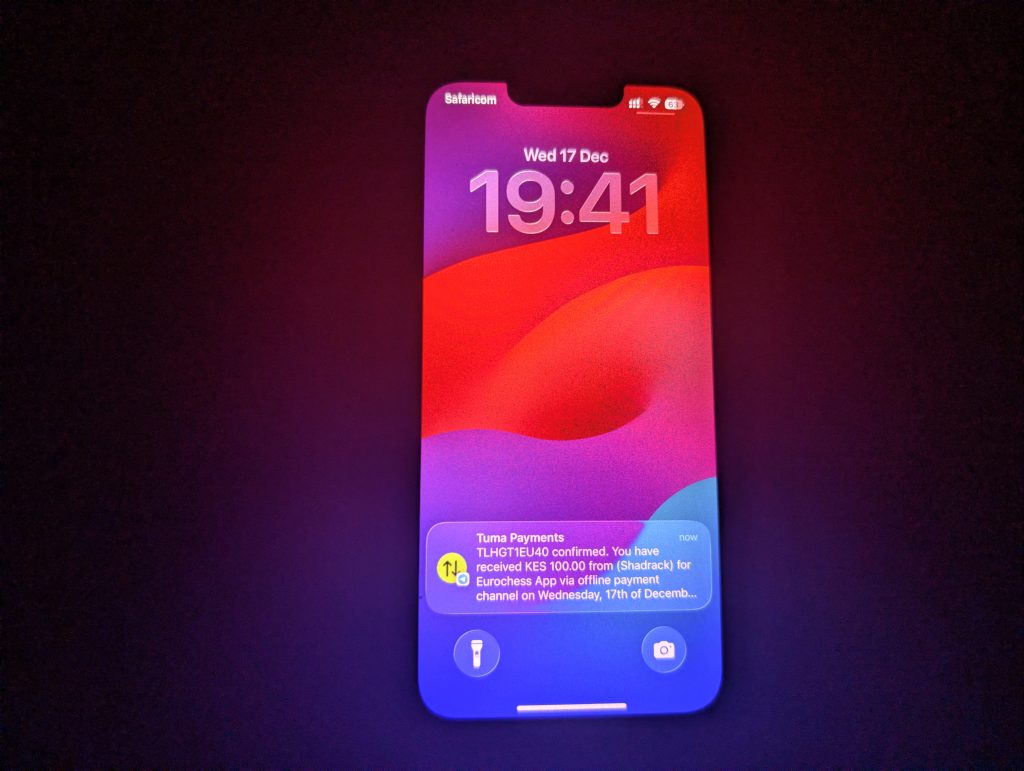
Use cases
Tuma Payments Gateway plugs into M-PESA and Banks ecosystem to extend real-time payment notifications to Whatsapp, Email, Telegram, Slack and other communication channels. This is suitable for cases such as:
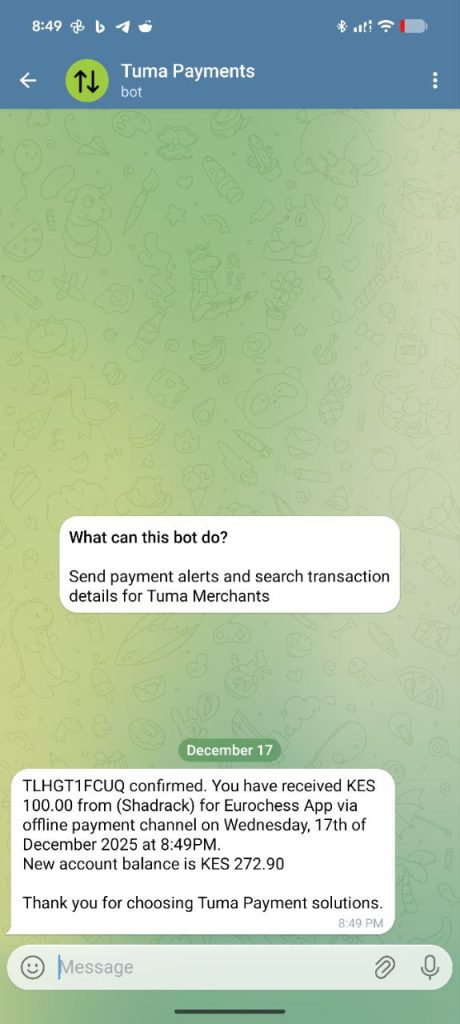
1) Remote outlets: There are establishments located in remote locations with low or no cellular network at all but with stable internet connections such as Starlink. When payment alerts fail via SMS, real-time alerts will come through alternative channels like Whatsapp etc.
2) Multiple cashiers/Terminals setup: In some cases, multiple cashiers share one device making it difficult to verify payments. With this feature, payment notification can be broadcasted to multiple devices at the same time.
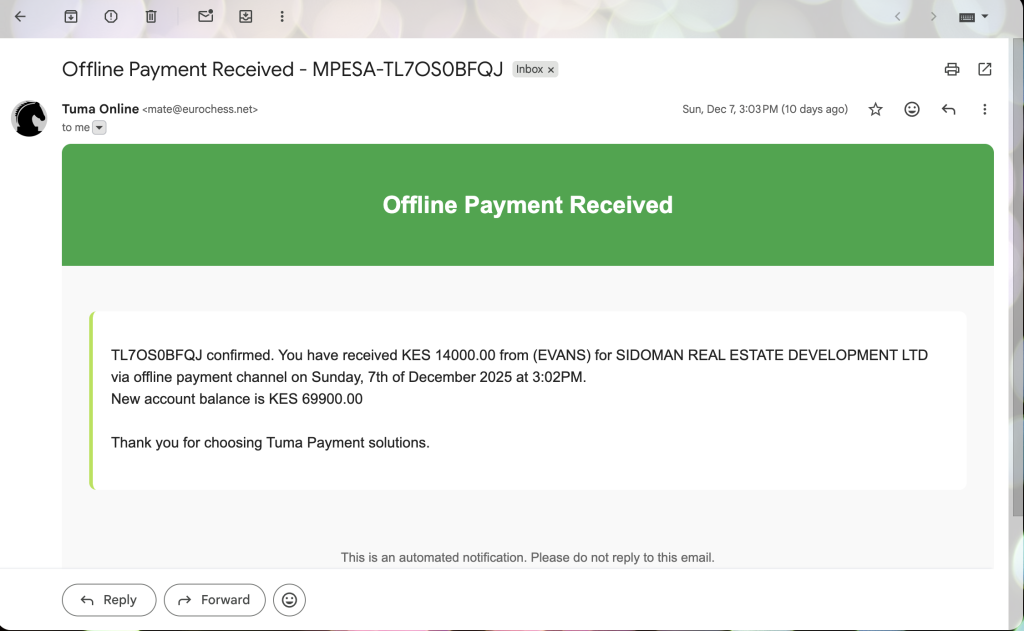
3) Structured Organizations: In heavily structured organizations, convenience like receiving MPESA payment alerts via Email is a top priority. Picture this: an organization needs cashiers to receive payment alerts without necesarily seeing the account balance. Simply put, payment alerts customized differently for different management levels. Thats where our solution comes in.
Steps to activate custom notifications for M-PESA and Bank payments
1) Sign up here: https://merchant.tuma.co.ke
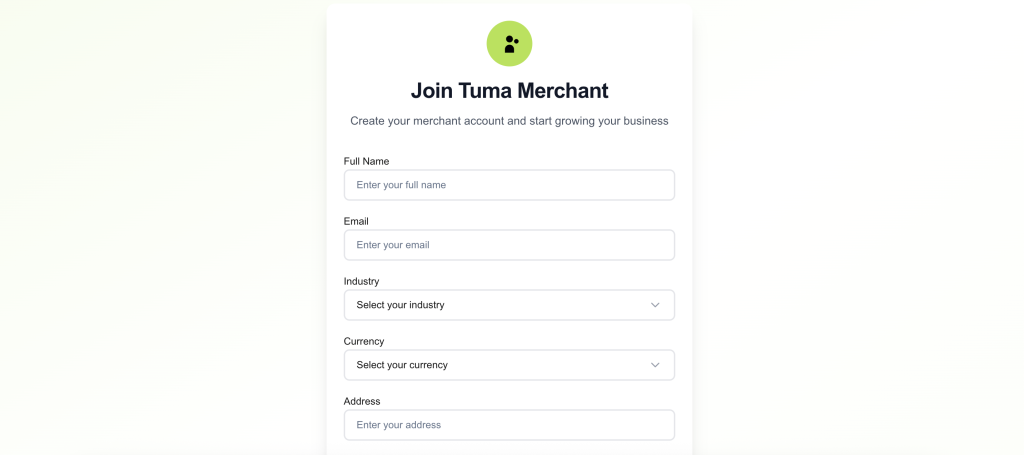
2) Fill all fields. NB: Enter full name as it appears in your National ID
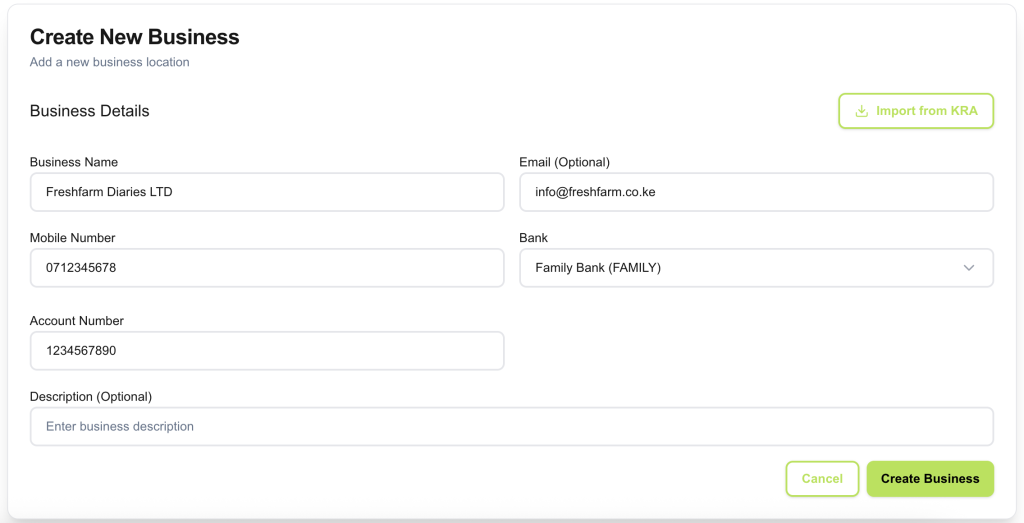
3) Create your business name and configure bank details. Select your bank name and enter your account number, then click ‘create business‘.
NOTE: For API access, you must provide an email address for the business profile. It can still be your personal email address but it’s required for API access. The email field is only optional for portal use cases. Also in case of Lipa na MPESA paybill/buy goods, select Inhouse BuyGoods/Paybill number as the bank option then enter paybill/till number as the account number.
4) Go to Notifications section and follow instructions to configure your favorite communication channel(s).
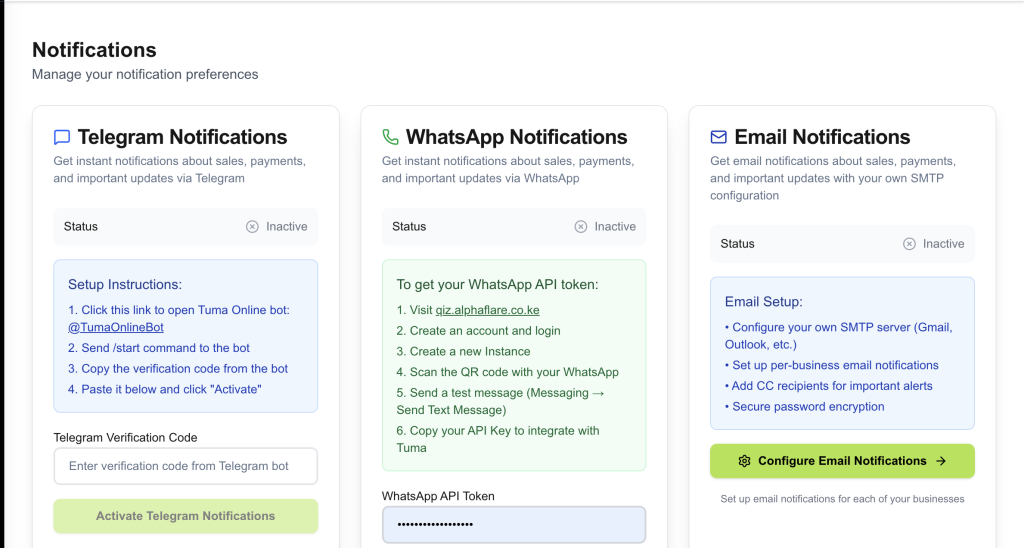
5) Go to Sales > New sale and try to make a sale to verify if payment alerts are working perfectly.
Cost
It’s free to activate Telegram and Email payment alerts. However, Whatsapp is a third-party service that attracts charges that might vary depending on the provider.
Offline Payments
This works with online checkout payments like STK Push etc. Offline payments are configured seperately e.g deposits made over the counter in Banks or STK menu/USSD or direct MPESA APP. Please contact support via mobile, email or any of our social media accounts.
