Feature: Multiple secondary Bank and MPESA accounts support for Business API payments
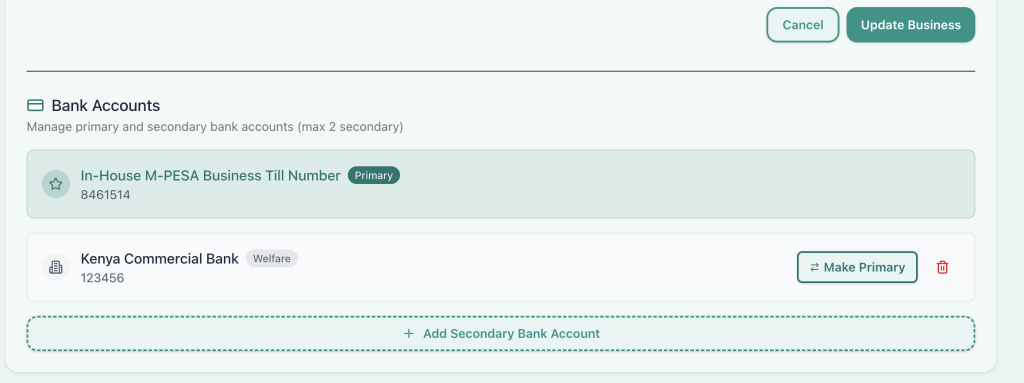
Tuma Payment Gateway allows users to manage payments for multiple business profiles under one account but, that’s not enough. We now support up to three secondary payment accounts per business profile.
Ideal use cases
For instance, a hotel that has a restaurant, bar and, accomodation accounts managed separately. Or a distributor who collects payments from each region in seperate bank or MPESA accounts.
Think of a supermarket chain with multiple branches but each branch has its own different bank acocunt or MPESA till number.
A backup account in case bank A is experiencing a downtime, your business operations need to continue uninterrupted. Tuma automatically switches to the next available backup account for real-time fund settlement.
In these cases, you don’t need to create standalone business profiles, when the additional accounts can be added as secondary accounts and Tuma will handle the routing and rest of billing workflow.
Supported Payment Methods
This works with:
- M-PESA Paybill number / Buy Goods Till Number
- Airtel Money
- Equity Bank
- Kenya Commercial Bank (KCB)
- Cooperative Bank of Kenya
- Diamond Trust Bank
- NCBA
- Loop
- Family Bank
- Stanbic Bank
- I&M Bank
- KWFT
- Faulu Bank
- Access Bank
- Standard Chartered Bank
- ABSA
- SBM Bank Kenya
- National Bank
- Sidian Bank
- And more…
Adding secondary accounts
1) login to your Tuma merchant account: https://merchant.tuma.co.ke/
2) Navigate to Businesses, then edit. Scroll to “add secondary Bank Account”
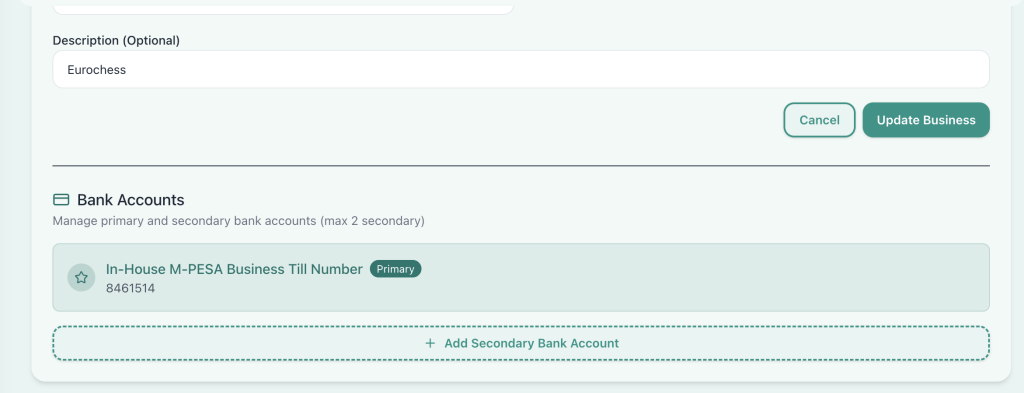
3) Fill the secondary bank account details. Bank/MPESA business, account and alias/label.
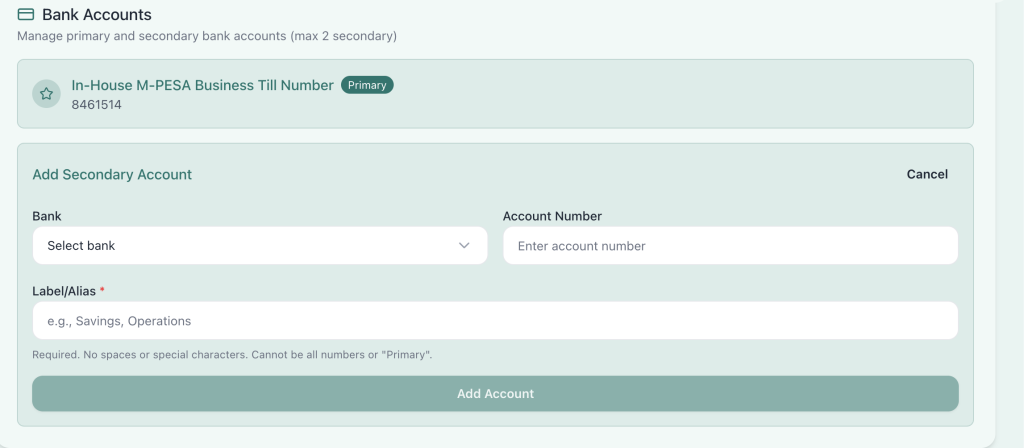
4) Initiating payment prompt for secondary account
Use the same API key, but add the optional “account” parameter in the request body. Our API expects the account label/alias, not the actual account number. When empty, null or excluded, Tuma picks the primary account by default.
POST https://api.tuma.co.ke/payment/stk-push
Authorization: Bearer your-jwt-token
Content-Type: application/json

{
  "amount": 100.00,
  "phone": "254712345678",
  "account": "Welfare",
  "callback_url": "https://your-app.com/callback",
  "description": "Payment for order #123"
}

Success Response:
{
    "success": true,
    "message": "Payment request sent successfully. Complete payment on your phone.",
    "data": {
        "merchant_request_id": "2dfd-472d-9bbd-df490884098d625543",
        "checkout_request_id": "ws_CO_04032026165157497729598795",
        "customer_message": "Success. Request accepted for processing",
        "account_used": "Welfare"
    }
}

//fail response model
{
    "success": false,
    "message": "Secondary account with label \"test\" not found for this business. Please check the account label and try again."
}
5) Callback handling
Your callback URL provided in STK PUSH request will receive payment status updates as shown below.
POST https://your-app.com/callback
Content-Type: application/json

//Response model for success, result_code=0, else it's a fail

{
  "status": "completed",
  "merchant_request_id": "a5ea-442f-a424-f94158490a468325",
  "checkout_request_id": "ws_CO_23022026142735114729500095",
  "result_code": 0,
  "result_desc": "The service request is processed successfully.",
  "timestamp": "2026-02-23 14:27:46",
  "mpesa_receipt_number": "UBNGT7QNYB",
  "amount": 10
}

//fail response model e.g
{
  "status": "failed",
  "merchant_request_id": "0e96-4a74-ab9d-ae3b6a9c0e933677",
  "checkout_request_id": "ws_CO_28022026175239080729590095",
  "result_code": 2001,
  "result_desc": "The initiator information is invalid.",
  "timestamp": "2026-02-28 17:52:51",
  "failure_reason": "Invalid M-Pesa PIN entered"
}
Fund settlement
Once a customer authorizes payment prompt, Tuma routes and credits the funds directly to the specified secondary account in real-time.
Switching Primary account
You can easily toggle to switch between accounts to make any account primary.