
How to extend MPESA and Bank Payment alerts to Slack channels
Introduction
Slack is one of the most popular and widely adopted collaboration and productivity work platforms for managing projects, automating workflows, and connecting teams securely.
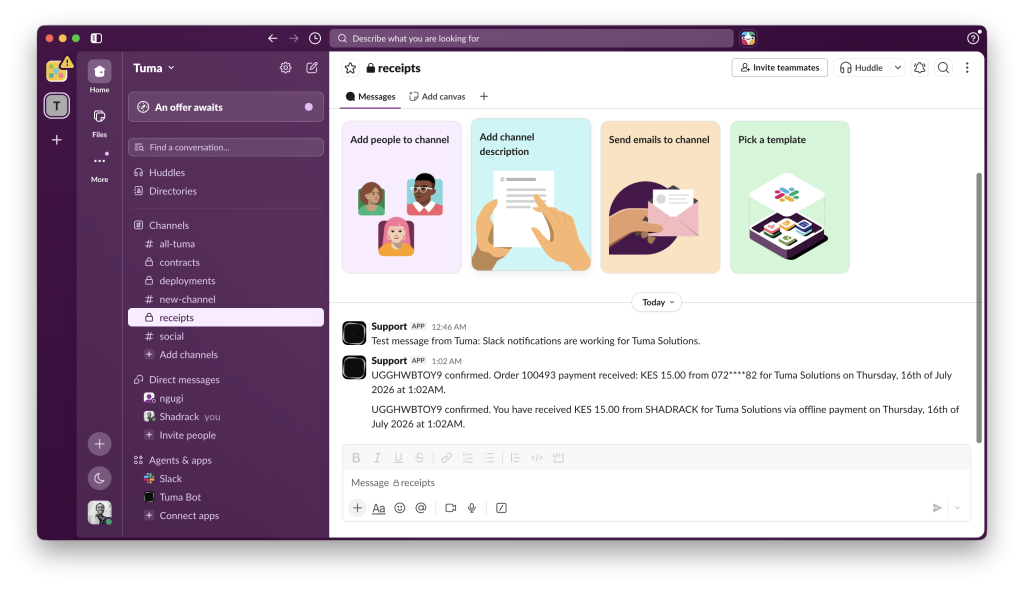
With Tuma Payment Gateway, you can extend payment alerts for both Mobile Money(MPESA, Airtel Money) etc and Bank payments to Slack channels. With this, sales teams can tell when shoppers drop off at checkout pages as accountants get to know when invoices have been paid -all in real-time.
Ideal business use cases
This solution is built for business use cases related to and in need of:
1) Faster payment verification for customer support.
2) Shared visibility across finance, sales, and operations teams.
3) Eliminating dependence on a single phone receiving SMS notifications.
4) Creating a centralized communication channel for payment activity.
This works for Businesses with multiple cashiers or branches, Remote offices with reliable internet but poor cellular coverage or
Organizations that need different departments to monitor incoming payments without exposing sensitive account information among other use cases.
Steps
1) Create a merchant account on Tuma, connect your business till number or bank account. (refer to this guide).
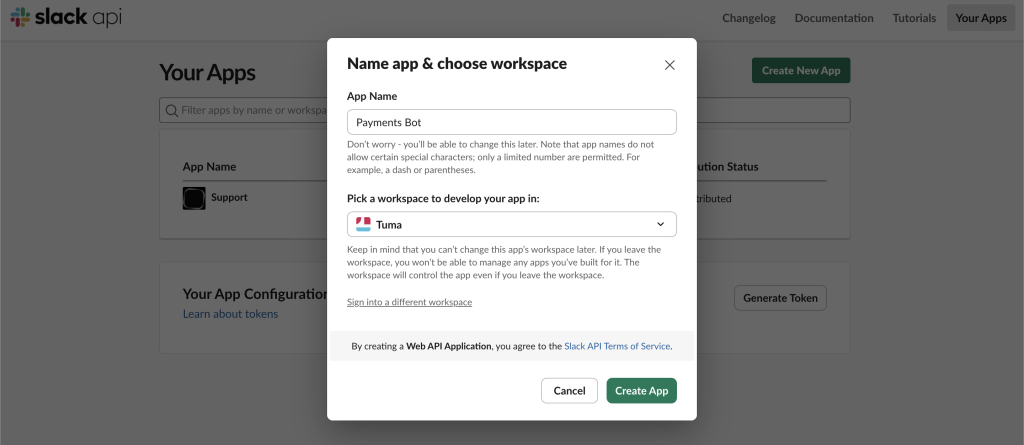
2) Go to https://api.slack.com/apps → Create New App → “From scratch”
3) Pick your workspace
4) Under Features → Incoming Webhooks, toggle it on
5) Click Add New Webhook to Workspace, choose the channel (e.g. #sales or #accounts)
6) Copy the webhook URL — looks like:https://hooks.slack.com/services/T000/B000/XXXXXXXXXXXXXXXXXXXXXXXX
NB: Keep this webhook in env vars e.g SLACK_WEBHOOK_URL, and never commit it to version control.
7) In your Tuma Merchant portal, navigate to “Payment alerts” page , scroll to Slack notifications, select business name(can have multiple businesses under one account), then paste the webhook url.
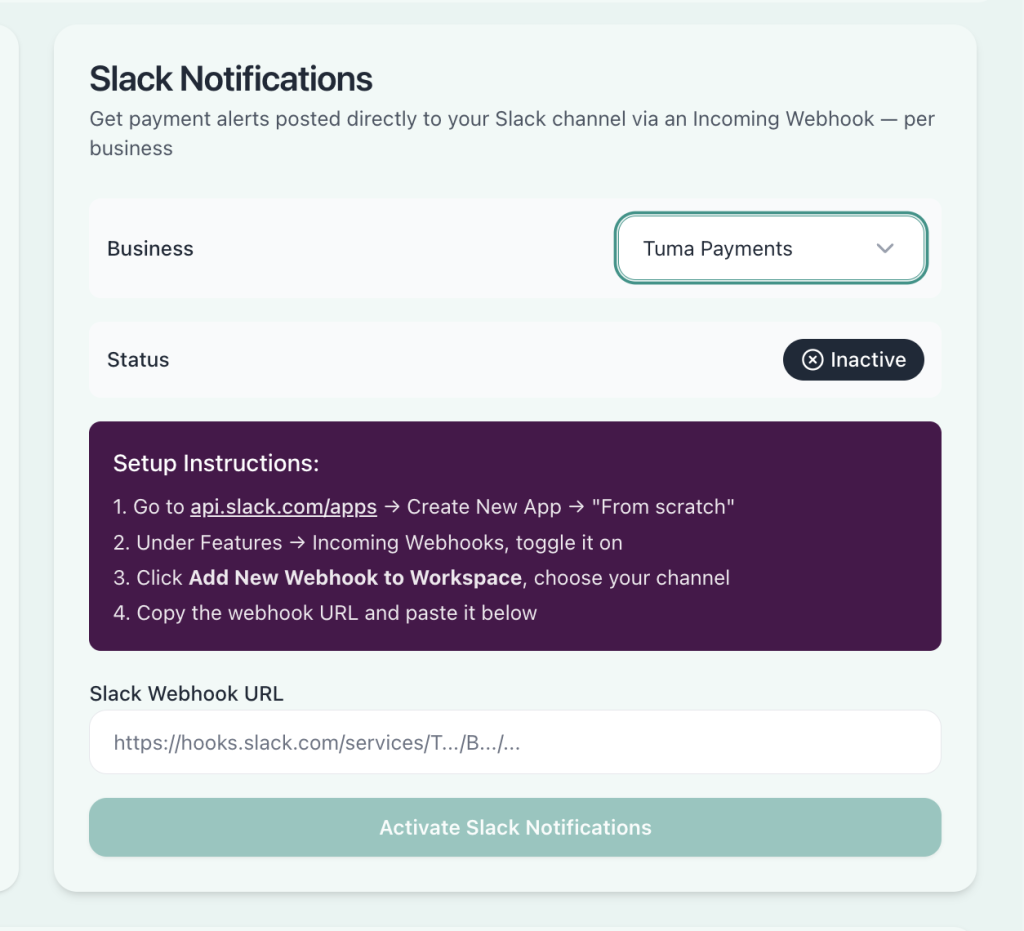
8) Click “activate slack notifications.”
