Automating invoicing, billing and payment reconciliation workflow with a Equity Bank account
Tuma Payments Gateway helps SMEs and service providers automate billing and payment reconciliation workflows with real-time fund settlement to your Equity Bank Kenya Account.
Tuma offers this solution via a web application for basic billing features and API for advanced use cases that need integration with organization in-house or third party software.
Use cases
1) Supplier/ Distributor invoicing: A regional distributor supplying retailers with stock
2) Service providers/Consultants: Consultants and service providers invoicing clients for services like garbage collection, legal consultancy, advertisement, web development, logo design and such like business models.
3) Real Estate: Relators invoicing their tenants on monthly basis and related use cases.
4) Learning institutions: Academic institutions invoicing parents/students to pay school feels with automated payment reconciliations
Onboarding
Note: You need to have an active account with Equity Bank Kenya as a prerequisite.
Simply follow these steps to automate your billing workflows with your Equity Bank account.
1) Sign up here: https://merchant.tuma.co.ke
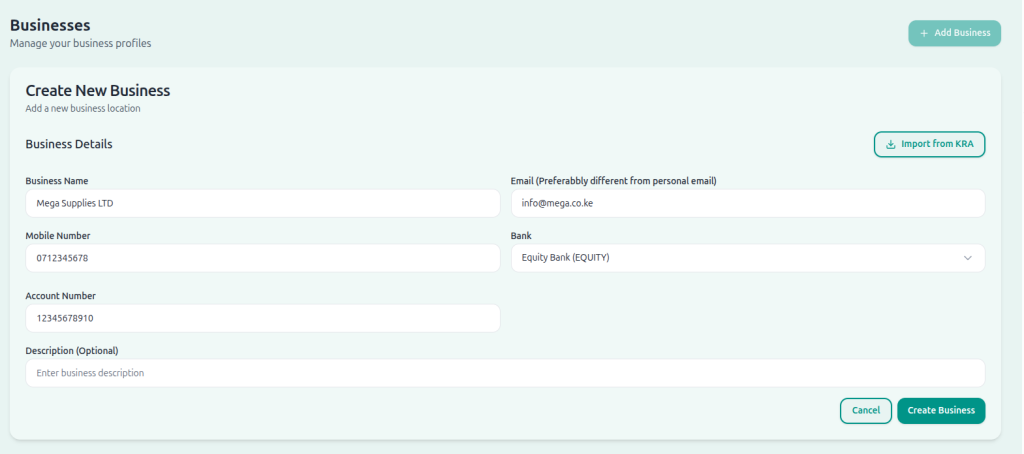
2) Fill all fields. NB: Enter full name as it appears in your National ID
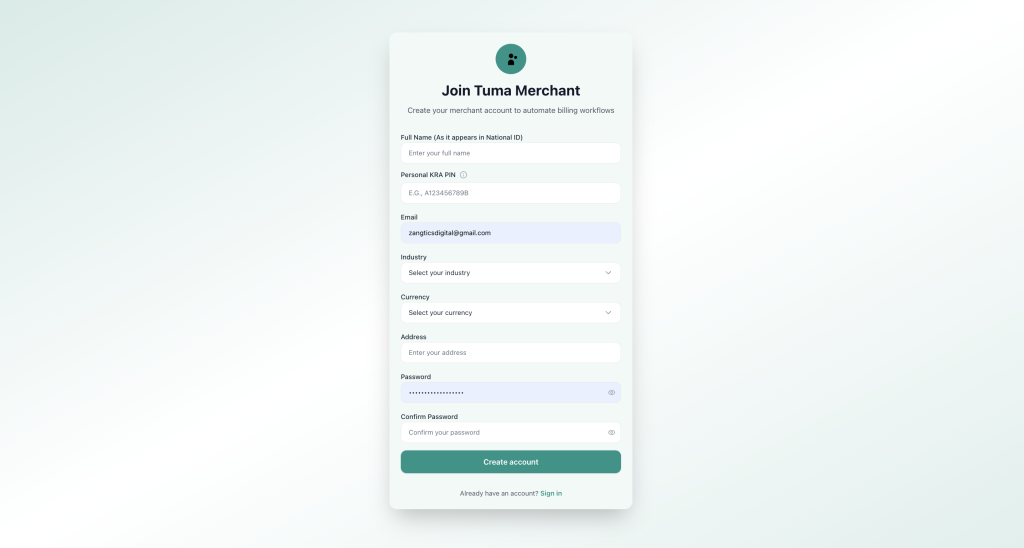
3) Create your business name and configure bank details. Select Equity Bank and enter your account number, then click ‘create business‘.
NB: For API access, you must provide an email address for the business profile. It can still be your personal email address but it’s required for API access. The email field is only optional for portal use cases.
Generating invoices with Graphical Interface
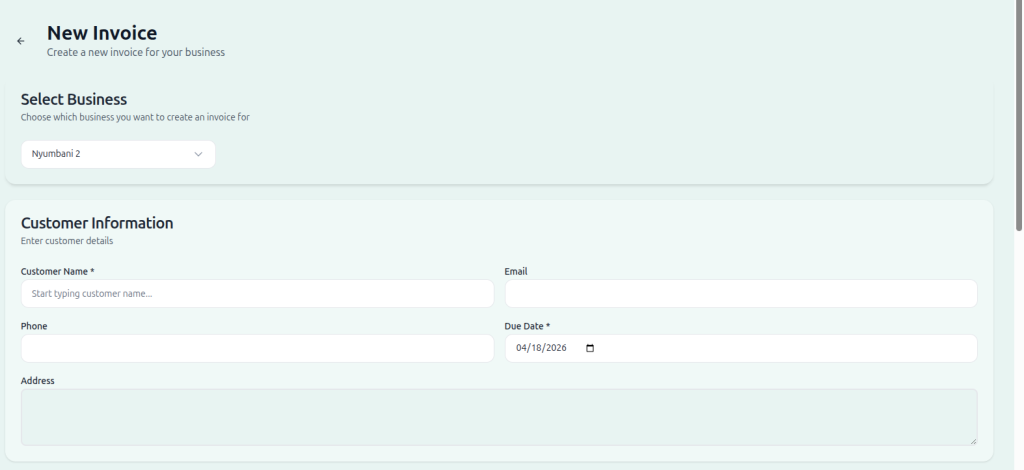
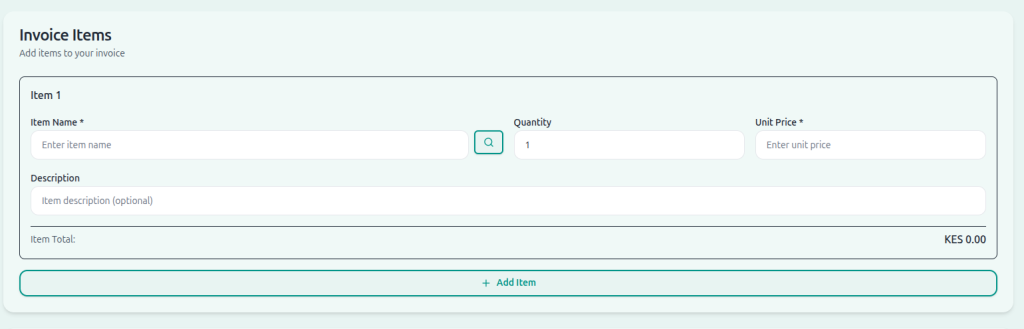
1) Navigate to Invoicing > New Invoice
2) Fill in customer/client details, invoice item list, description and prices and configure invoice settings like template etc
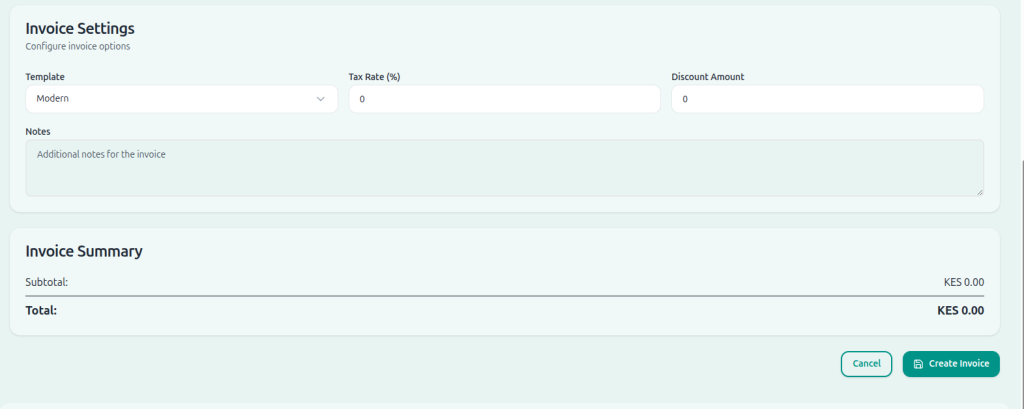
3) Click Create Invoice
Generating Invoices programmatically via API
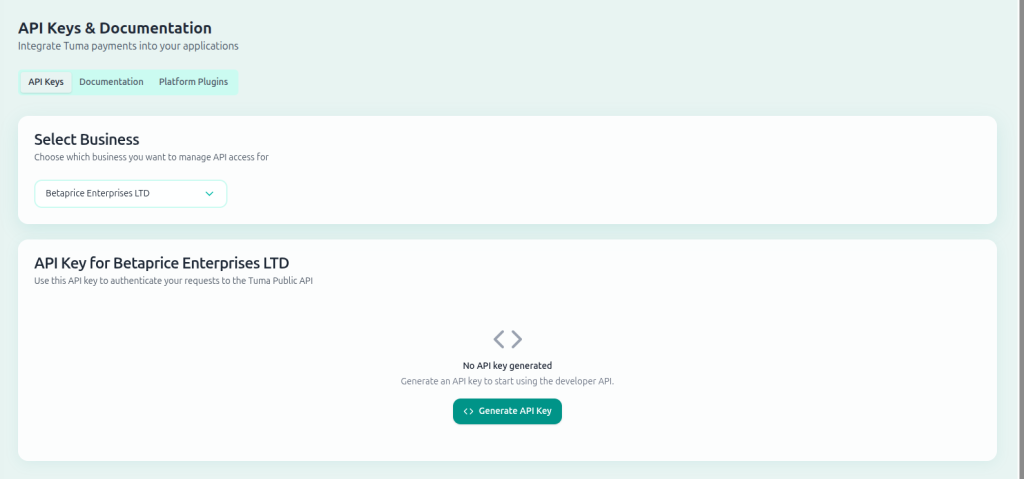
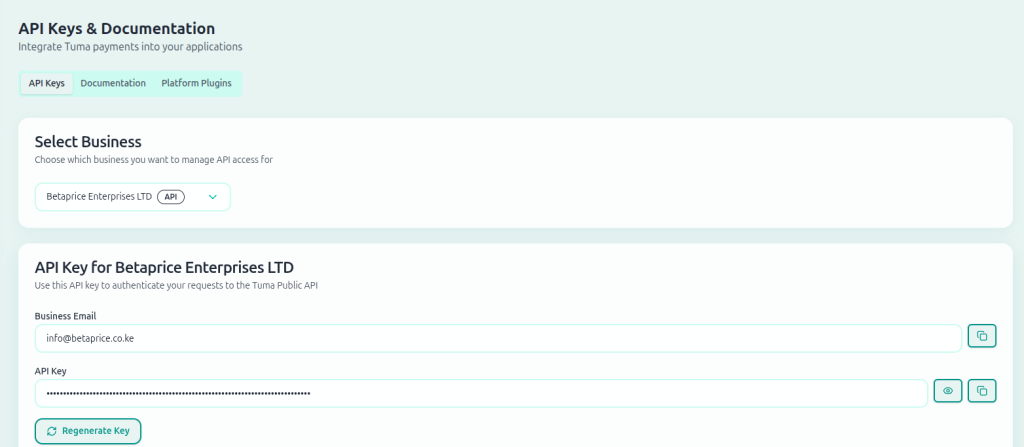
1) Go to Developer option, select business profile, then click generate API keys.
Authentication and Code samples
Extract API key and use it along with business email address to authenticate and generate access token.
Authentication
Endpoint : https://api.tuma.co.ke/auth/token
Method: POST
Content-Type: application/json
Payload
{
  "email": "[email protected]",
  "api_key": "tuma_ec7d6eab48c4432ab0f144c7b7fc1b4819_1759998878"
}
Response
{
  "success": true,
  "message": "Authentication successful",
  "data": {
    "token": "eyJhbGciOiJIUzI1NiIsInRCJ9.eyJzaG9wX2lkIjoiNzg3ZTI0NGQtOTRhOC00ODgxLWJjNzctNDc2ZGZkNjA3ZGJlIiwidXNlcl9pZCI6ImQyYTY5NWVkLTg1MWUtNGZiYy1iOTUiIsImVtYWlsIjoic2hhZHJhY2subWF0YXRhQGljbG91ZC5jb20iLCJpcHJzX2FjY2VzcyI6ZCI6MTc2MzU0MjY2NywiZXhwIjoxNzYzNjI5MDY3fQ.3FHTZ9ENc_C-C8-AvQEXroIeNYD5Ncv5eEhB4WpEKaY",
    "shop": {
      "id": "787e244d-94a8-4881-bc77-476dfd607dbe",
      "name": "Tuma Limited",
      "email": "[email protected]"
    }
  }
}
List invoices
GET https://api.tuma.co.ke/invoices
Authorization: Bearer your-jwt-token
Content-Type: application/json

Response
{
  "success": true,
  "message": "Invoices retrieved successfully",
  "data": {
    "invoices": [
      {
        "id": "a84567576-d741-424c-bet0-1964o09285d2",
        "invoice_number": "INV-864472434",
        "customer_name": "Test Solutions",
        "customer_email": "[email protected]",
        "customer_phone": "07123458342",
        "subtotal": 340,
        "tax_amount": 0,
        "discount_amount": 0,
        "total_amount": 340,
        "currency": "KES",
        "status": "paid",
        "payment_status": "completed",
        "due_date": "2026-04-07T21:00:00.000Z",
        "mpesa_receipt_number": "UD89603MSO",
        "payment_completed_at": "2026-04-08T07:53:25.000Z",
        "created_at": "2026-04-08T07:33:40.000Z",
        "updated_at": "2026-04-08T07:53:25.000Z",
        "item_count": 2
      }
    ],
    "pagination": {
      "page": 1,
      "limit": 50,
      "total": 28,
      "pages": 1,
      "has_next": false,
      "has_prev": false
    }
  }
}
Create Invoice
POST https://api.tuma.co.ke/invoices
Authorization: Bearer your-jwt-token
Content-Type: application/json

//Request body

{
  "customer_name": "Kisamba Jnr",
  "customer_email": "[email protected]",
  "customer_phone": "254722000000",
  "customer_address": "Address ABC, Kilimani",
  "items": [
    {
      "item_name": "New service",
      "item_description": "Strategic business consulting for Q1 2024",
      "quantity": 2,
      "unit_price": 10.00
    },
    {
      "name": "Final Website ",
      "description": "Monthly website maintenance and updates",
      "quantity": 4,
      "price": 20.00
    }
  ],
  "tax_rate": 10,
  "discount_amount": 10.00,
  "due_date": "2025-12-01",
  "notes": "Payment terms: Net 30 days",
  "callback_url":"https://your-webhook.co.ke/callback",
  "currency": "KES"
}

//Response

{
    "success": true,
    "message": "Invoice created successfully",
    "data": {
        "invoice": {
            "id": "480f2ea3-8c92-4fb8-8a47-81c1a26217a5",
            "invoice_number": "INV-884243339",
            "customer_name": "Kisamba Jnr",
            "customer_email": "[email protected]",
            "customer_phone": "254722000000",
            "customer_address": "Adress ABC, Kilimani",
            "subtotal": 100,
            "tax_rate": 10,
            "tax_amount": 10,
            "discount_amount": 10,
            "total_amount": 100,
            "currency": "KES",
            "status": "pending",
            "payment_status": "pending",
            "due_date": "2025-11-30T21:00:00.000Z",
            "notes": "Payment terms: Net 30 days",
            "created_at": "2026-04-18T08:28:04.000Z",
            "public_url": "https://merchant.tuma.co.ke/invoice/480f2ea3-8c92-4fb8-8a47-81c1a78217a5",
            "access_code": "269786",
            "items": [
                {
                    "id": "4e7df894-9620-470f-bbc8-702be2c61666",
                    "product_id": null,
                    "product_name": null,
                    "product_sku": null,
                    "item_name": "New service",
                    "item_description": "Strategic business consulting for Q1 2024",
                    "quantity": 2,
                    "unit_price": 10,
                    "total_price": 20
                },
                {
                    "id": "da89dfd1-1c80-4b6f-9ef4-a0032da497ae",
                    "product_id": null,
                    "product_name": null,
                    "product_sku": null,
                    "item_name": "Final Website ",
                    "item_description": "Monthly website maintenance and updates",
                    "quantity": 4,
                    "unit_price": 20,
                    "total_price": 80
                }
            ]
        }
    }
}
Webhook callback
Your callback URL provided in request will receive payment status updates as shown below.
//for success
{
  "type": "invoice",
  "status": "completed",
  "invoice_id": "480f2ea3-8c92-4fb8-8a47-81c1a26217a5",
  "merchant_request_id": "e2d6-415e-84c8-698c49d1033f6709086",
  "checkout_request_id": "ws_CO_18042026120227692729590095",
  "timestamp": "2026-04-18 12:02:37",
  "mpesa_receipt_number": "UDIGT1MNND",
  "amount": 100,
  "result_code": 0,
  "result_desc": "The service request is processed successfully."
}

//for fail
{
  "type": "invoice",
  "status": "cancelled",
  "invoice_id": "480f2ea3-8c92-4fb8-8a47-81c1a26217a5",
  "merchant_request_id": "b18e-4425-8db3-935909f7a54d24973490",
  "checkout_request_id": "ws_CO_18042026120104914729590095",
  "timestamp": "2026-04-18 12:01:12",
  "failure_reason": "Request Cancelled by user.",
  "result_code": 1032,
  "result_desc": "Request Cancelled by user."
}
Funds settlement and reconciliation
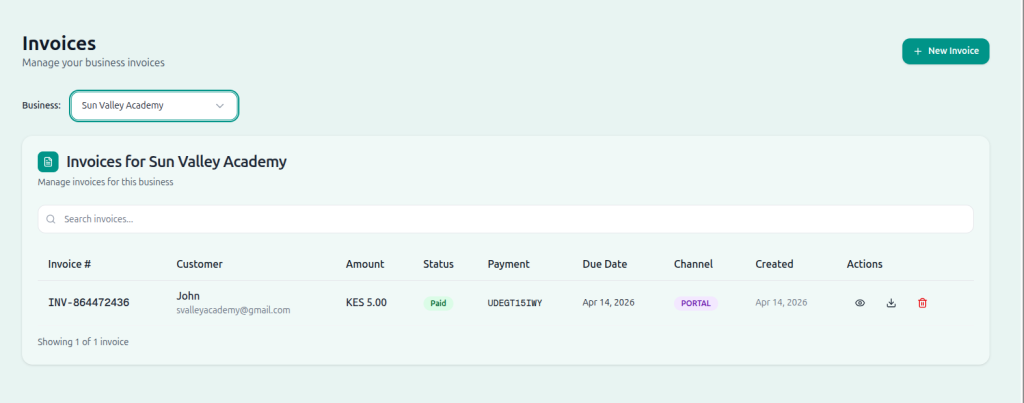
In both approaches, Tuma Generates an invoice sends it to the client email address with payment details. It also provides a publicly accessible link and password to unlock the bill details since it’s usually protected with a password.
When clients makes a payment, the funds are directly credited to your Equity bank account. Tuma updates the invoice automatically and notifies you immediately. It also sends acknowdlegemt email to the client all without human intervention.
Add-ons
Tuma optionally integrates invoicing with third party accounting tools like Zoho books, KRA etims etc