
MPESA-POS: Open Source POS with MPESA, Airtel Money and Bank payments integration
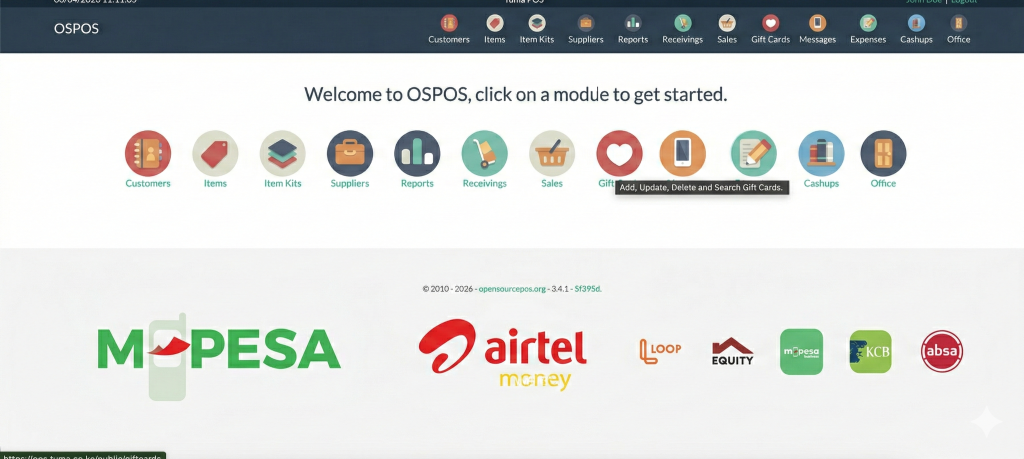
Tuma Payment Gateway has integrated ospos, one of the most popular open source POS and ERP solutions with MPESA, Airtel Money and banks in Kenya to automate mobile money payment reconciliations.
Features
The core features include
- M-PESA, Airtel Money, and bank payment integration via Tuma Payments Gateway (supports 30+ Kenyan banks)
- Stock management (items and kits with an extensible list of attributes)
- VAT, GST, customer, and multi tiers taxation
- Sale register with transactions logging
- Quotation and invoicing
- Expenses logging
- Cash up function
- Printing and emailing of receipts, invoices and quotations
- Barcode generation and printing
- Database of customers and suppliers
- Multiuser with permission control
- Reporting on sales, orders, expenses, inventory status and more
- Receivings
- Gift cards
- Rewards
- Restaurant tables
- Messaging (SMS)
- Multilanguage
- Selectable Bootstrap based UI theme with Bootswatch
- MailChimp integration
- Optional Google reCAPTCHA to protect the login page from brute force attacks
- GDPR ready
Supported Payment Methods
This works with:
- M-PESA Paybill number / Buy Goods Till Number
- Airtel Money
- Equity Bank
- Kenya Commercial Bank (KCB)
- Cooperative Bank of Kenya
- Diamond Trust Bank
- NCBA
- Loop
- Family Bank
- Stanbic Bank
- I&M Bank
- KWFT
- Faulu Bank
- Access Bank
- Standard Chartered Bank
- ABSA
- SBM Bank Kenya
- National Bank
- Sidian Bank
- And more…
Installation
Requirements
- PHP version
8.1+is required. Please note that PHP needs to have the extensionsphp-json,php-gd,php-bcmath,php-intl,php-openssl,php-mbstring,php-curlandphp-xmlinstalled and enabled. - MySQL
5.7or MariaDB10.x(MariaDB might offer better performance) - Apache
2.4(Nginx should work fine too) - A domain name + hosting : You can get one here[Get affordable domain name+hosting]
Quick Start Installation
- Download the latest release and Import the Database
- Download latest release here[Download Source code]
- Import the SQL file:
tuma_mpesa_pos.sqlinto your MySQL/MariaDB database
- Configure Database Credentials
- Copy
.env.exampleto.env - Edit
.envand set your database credentials:database.default.hostname = localhost database.default.database = your_database_name database.default.username = your_username database.default.password = your_password
- Copy
- Access the Application
- Point your browser to:
https://your_domain.co.ke/public - Login with default credentials:
- Username:
admin - Password:
12345678
- Username:
- Point your browser to:
- Sign Up for Tuma Merchant Account
- Register at merchant.tuma.co.ke
- Follow the onboarding guide: Tuma onboarding Guide
- The onboarding process is the same for all supported banks
- Generate your API keys after completing onboarding
- Configure Tuma API Keys
- In the POS system, navigate to: Office > Configuration > Tuma
- Enter your API keys generated from the merchant portal
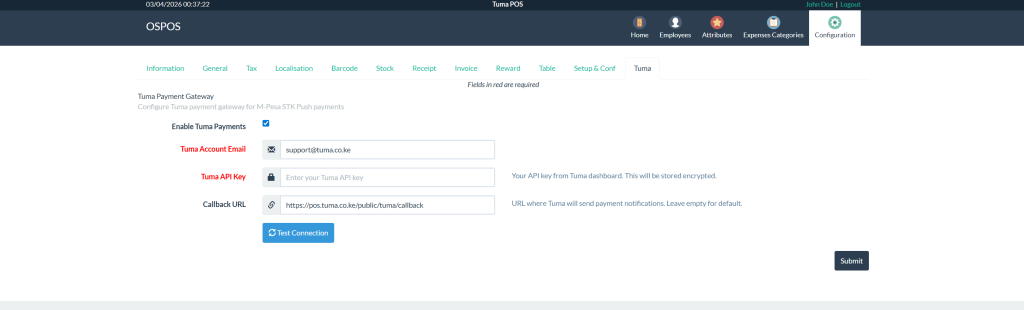
Testing a Sale with M-PESA
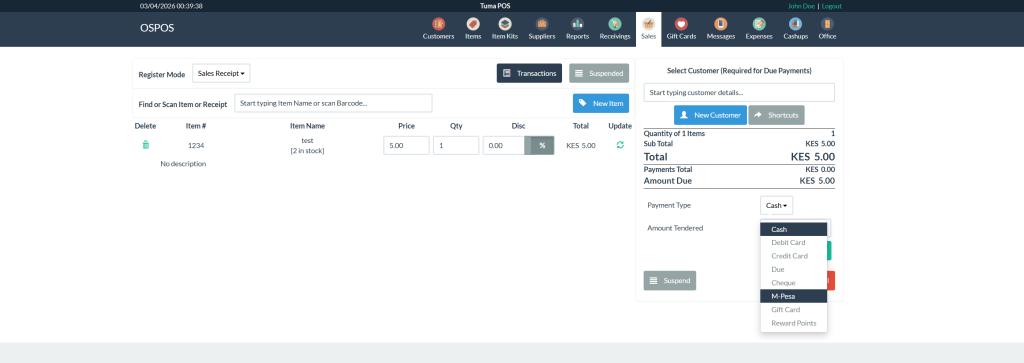
1) Go to Sales in the navigation menu
2) In the “Find item” search bar, type test and click on the test item
3) On the right side, under payment type, select M-PESA and click add payment button.
4) A modal will appear – enter the M-PESA phone number
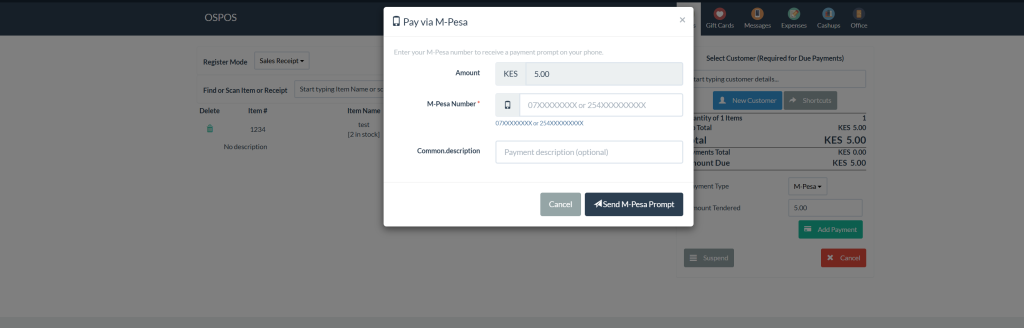
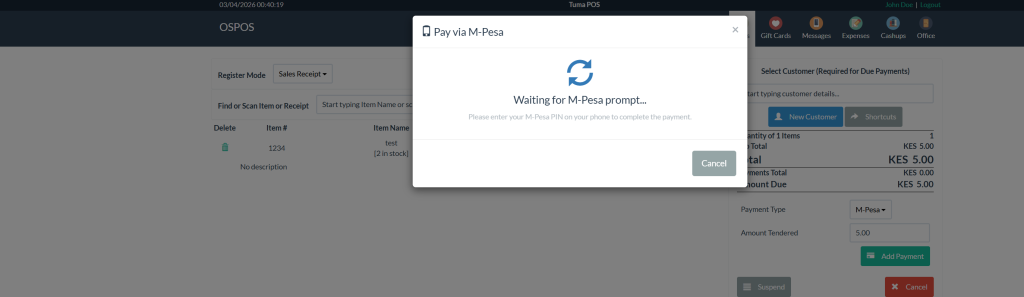
5) Payment is initiated. A modal appears waiting for the customer to authorize the prompt on their phone
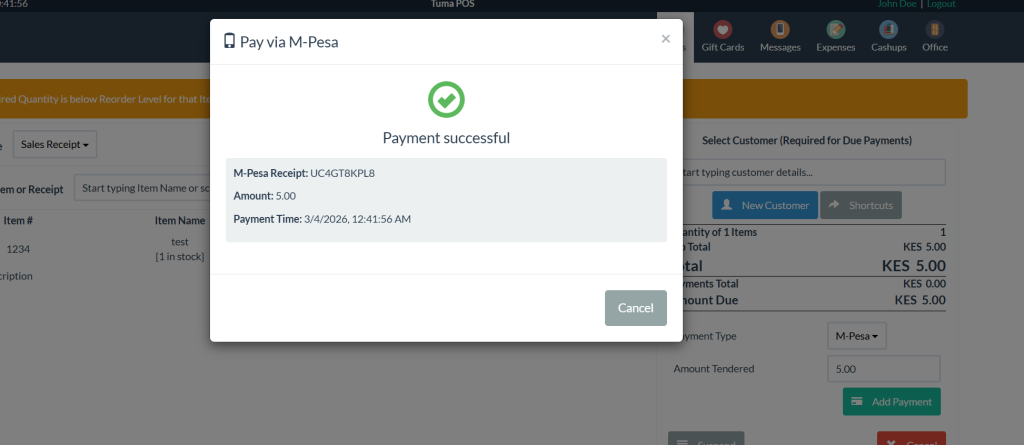
6) Once the customer completes the payment, a success message is displayed
Live Demo
We’ve got a live version of our latest release running for you to play around with and test everything out.
You can check out the demo here and log in with these credentials.
Username guest
Password 12345678
Support
For inquiries, modifications or support, contact:
- Email: [email protected]
- Phone: +254 782 411 538
