
WordPress/Woocommerce M-PESA and Bank Payments Integration plugin
Woocommerce, an open-source plugin plugin for wordpress runs a dominant market share approximately 40% of the global ecommerce software as of 2023. Also, 93.7% of wordpress websites use woocommerce.
On the other hand, MPESA has over 60M actively users monthly, including over 5 million businesses. These two plaforms forms a powerful combination for online shopping.
M-PESA and Bank WordPress/woocommerce plugin
Tuma Payment Gateway offers an opensource plugin that enables woocommerce/wordpress websites to integrate checkout with M-PESA paybills, Buy Goods till numbers or any bank account in Kenya.
Our plugin supports the following:
- All/Any M-PESA Paybill number / Buy Goods Till Number
- Equity Bank
- Kenya Coomercial Bank(KCB)
- Cooperative Bank of Kenya
- Diamond Trust Bank
- NCBA
- Loop
- Family Bank
- Stanbic Bank
- I&M bank
- KWFT
- Faulu Bank
- Access Bank
- Standard Chartered Bank
- ABSA
- SBM Bank Kenya
- National Bank
- Sidian Bank
And any other bank in Kenya.
Onboarding and Getting API keys
Note: You need to have an active account with any bank in Kenya or a Lipa na MPESA Paybill or Buy goods till number as prerequisite.
Simply follow these steps:
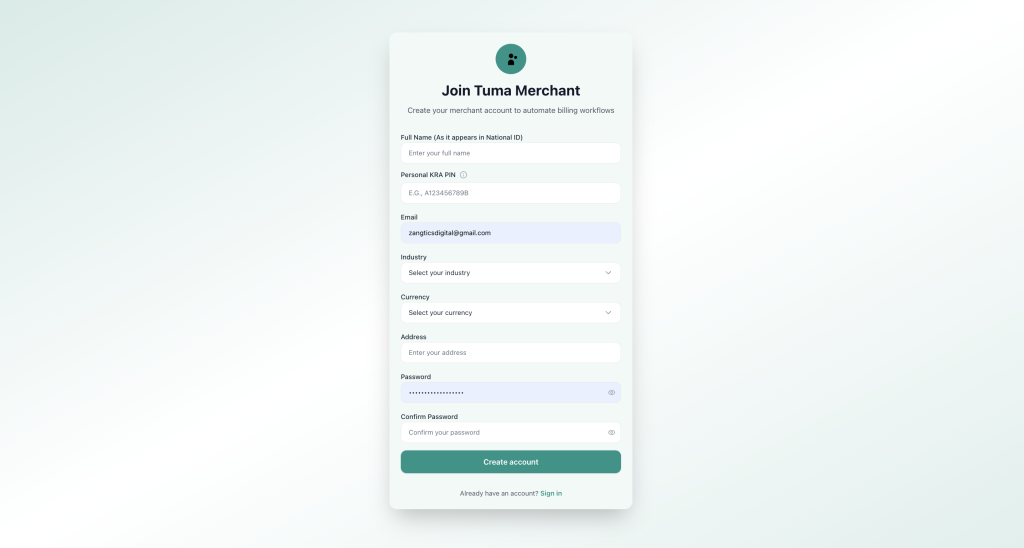
1) Sign up here: https://merchant.tuma.co.ke
2) Fill all fields. NB: Enter full name as it appears in your National ID
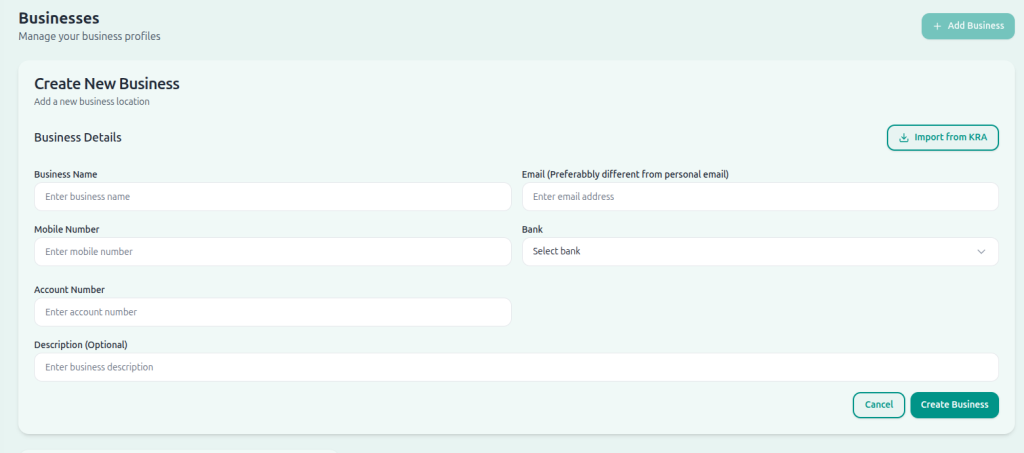
3) Create your business name and configure bank details. Select your bank name and enter your account number, then click ‘create business‘.
NOTE: For API access, you must provide an email address for the business profile. It can still be your personal email address but it’s required for API access. The email field is only optional for portal use cases. Also in case of Lipa na MPESA paybill/buy goods, select Inhouse BuyGoods/Paybill number as the bank option then enter paybill/till number as the account number.
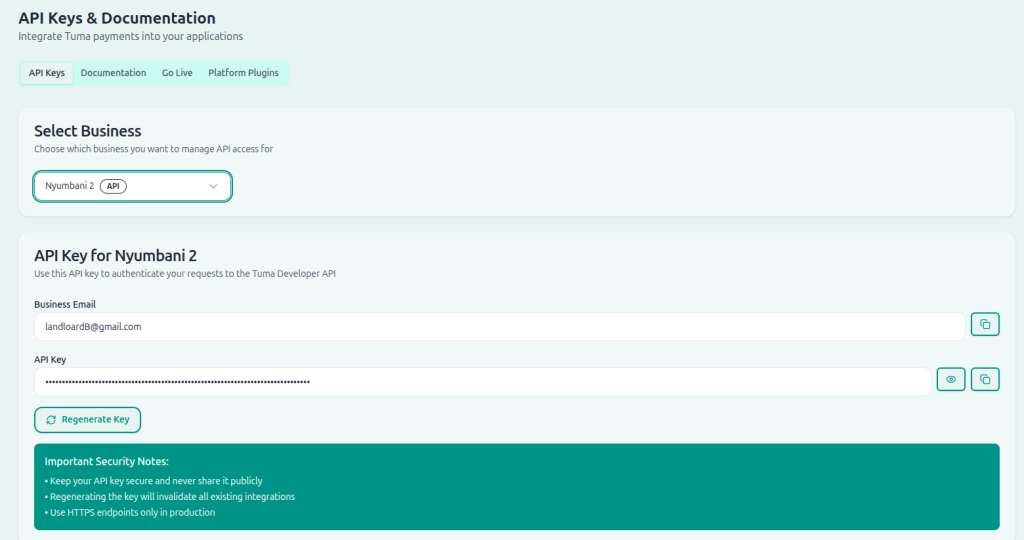
4) Go to Developer option, select business profile, then click generate API keys.
Aunthentication and Code samples
Extract API key and use it along with business email address to authenticate and generate access token.
Plugin installation and configuration
Download the plugin here:Download Plugin
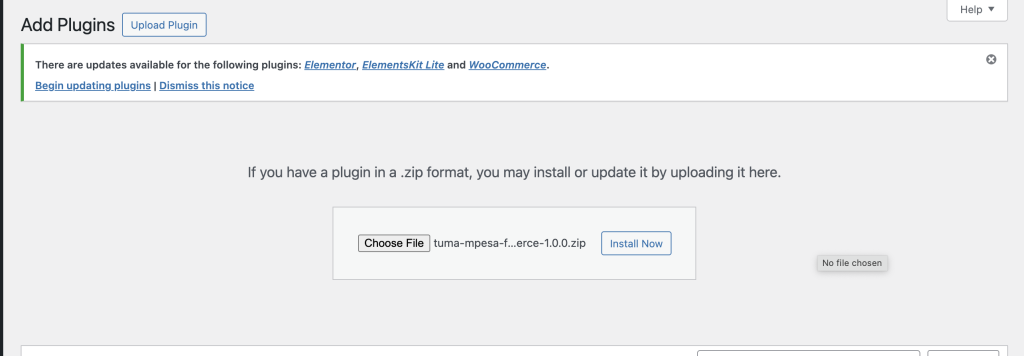
Login to your wordpress admin panel, navigate to plugins, then add plugin > Upload Plugin
Browse and select ‘tuma-mpesa-for-woocomerce-1.4.6.zip‘ file in your file system the click install now
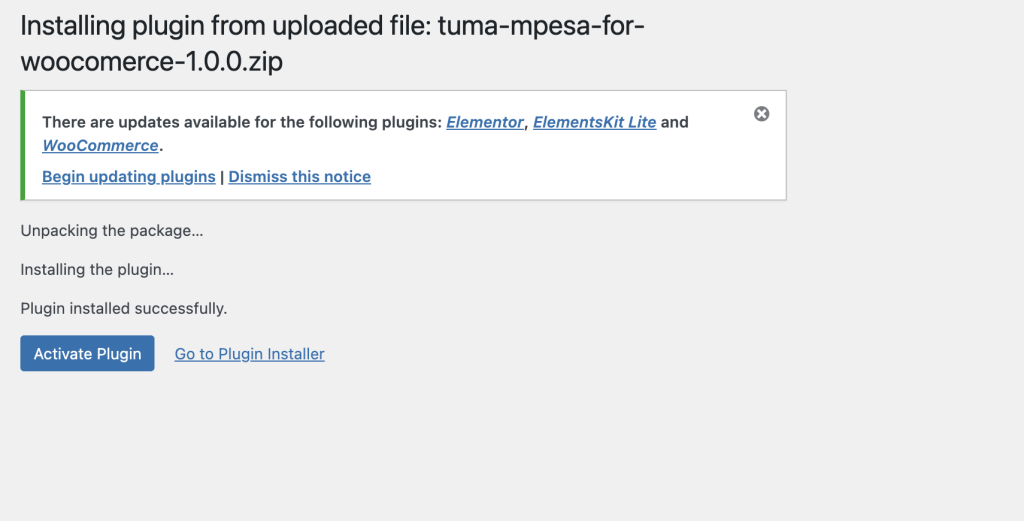
After upload, click activate plugin.
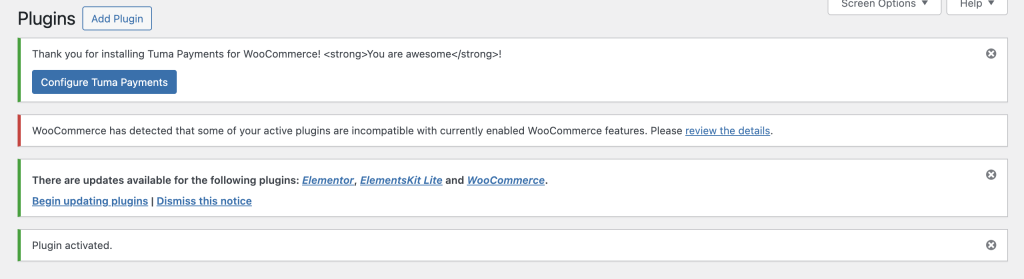
Click configure Tuma payments.
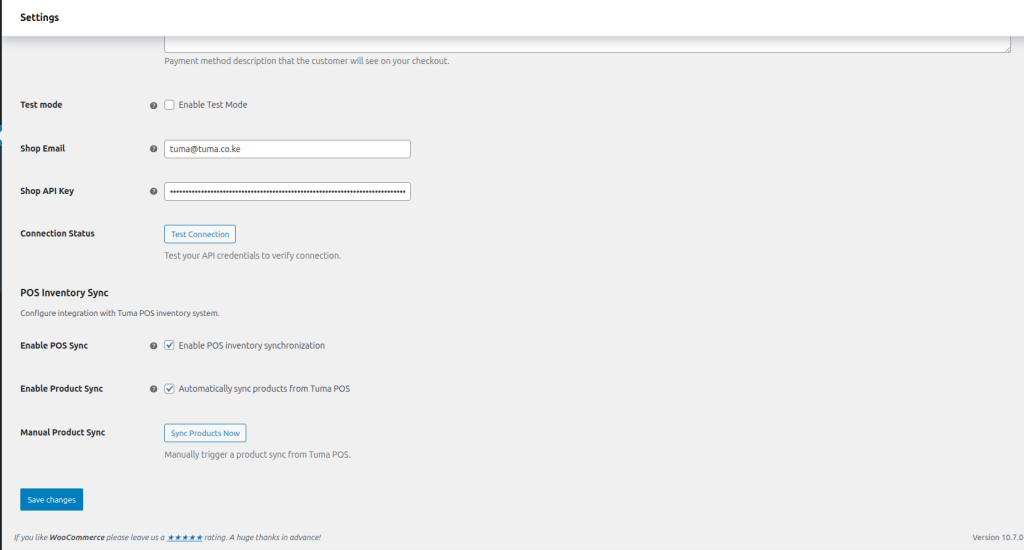
Scroll to shop email and API Key. Copy them from https://merchant.tuma.co.ke/dashboard/developer and paste.
Click test connection to verify then click save changes.
Congratulations, your online shop is now connected to your bank account or MPESA paybill/till number to automate payment on checkout!
AutoSync with Tuma Cloud POS(optional)
For users managing inventory and sales with Tuma POS, the plugin automatically syncronizes sales, payments and inventory(quantity, prices etc) records across all channels/platforms in realtime.
You can also import products from Tuma POS to your wocommerce catalog in seconds!
Fund settlement
Once a customer authorizes payment prompt, Tuma credits the funds directly to your Bank/MPESA Business account in real-time.
